As we move through 2026, Dell has refined its lineup to lean heavily into AI integration, thermal efficiency, and record-breaking battery life. Whether you’re a creative professional, a corporate power user, or a hardcore gamer, the current Dell catalog offers some of the most polished hardware on the market.
Here are the 5 best Dell laptops to consider in 2026.
1. The Best Overall: Dell XPS 14 (2026 Edition)
4.7. Out of 5 ratings
The XPS 14 has officially reclaimed the throne as the ultimate Windows ultraportable. In 2026, Dell addressed previous design gripes by bringing back a physical function row while keeping the stunning “seamless” aesthetic.
- Why it wins: It strikes the perfect balance between the ultra-light XPS 13 and the heavy-hitting XPS 16. The 2026 model features a variable refresh rate display that can drop to 1Hz, allowing for a staggering 20+ hours of battery life on the base model.
- Key Specs: Intel Core Ultra 7 355, 14.5-inch 3.2K OLED touchscreen option, and improved haptic feedback.
- Best for: Students, executives, and anyone who wants a “no-compromise” daily driver.
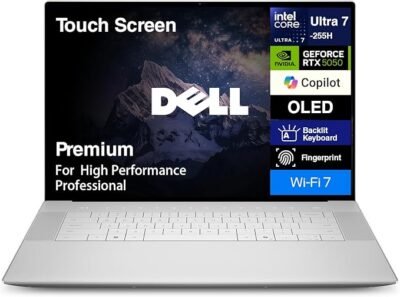
2. The Creative Powerhouse: Dell 16 Premium (XPS 16)
4.5 out of 5 ratings
For those who need to render 8K video or compile massive datasets, the Dell 16 Premium is the desktop replacement of choice. It’s thinner than a MacBook Pro 16 but packs significantly more thermal headroom thanks to Dell’s updated liquid crystal polymer fan blades.
- Why it wins: The 2026 iteration offers the NVIDIA RTX 5070 GPU, making it a beast for 3D modeling and AI-driven creative workflows. The UHD+ InfinityEdge display remains the gold standard for color accuracy (100% DCI-P3).
- Key Specs: Intel Core Ultra 9 285H, up to 64GB DDR5 RAM, and quad-speaker spatial audio.
- Best for: Video editors, architects, and high-end digital artists.
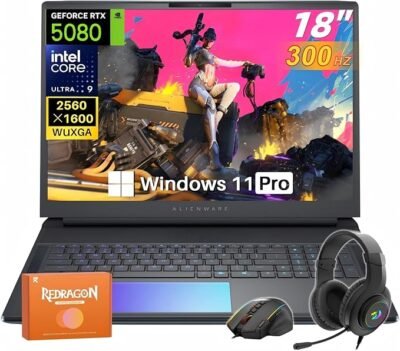
3. The Gaming Titan: Alienware 16X
4.7 out of 5 ratings
Alienware has moved away from the “bulky” gamer aesthetic toward a more “sleek-tech” look. The 16X Aurora is the flagship 16-inch gaming rig that manages to stay relatively portable without sacrificing frame rates.
- Why it wins: It features a 240Hz 1600p display with a 3ms response time. The 2026 cooling system is notably quieter than previous generations, solving the “jet engine” noise issue that plagued older Alienware models.
- Key Specs: RTX 50-series graphics, Wi-Fi 7 support, and an AlienFX per-key RGB keyboard.
- Best for: Serious gamers and streamers who need high-refresh-rate precision.
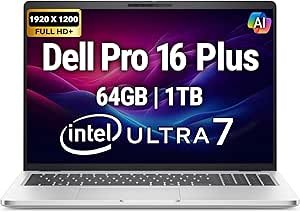
4. The Productivity King: Dell Pro Max 18 Plus
4.7 out of 5 ratings
With the rise of the “mobile workstation,” Dell introduced the Pro Max 18 Plus to replace the traditional Precision line for those who need sheer size and power. It is effectively a server in a backpack.
- Why it wins: It is one of the few laptops in 2026 that supports up to 256GB of RAM and four separate storage drives. If your work involves heavy virtualization, AI local training, or massive CAD files, this is the only machine that won’t sweat.
- Key Specs: 18-inch Mini-LED display, Intel vPro architecture, and an exhaustive port selection (Thunderbolt 5, HDMI 2.1, and SD Express 7.0).
- Best for: Engineers, data scientists, and enterprise power users.
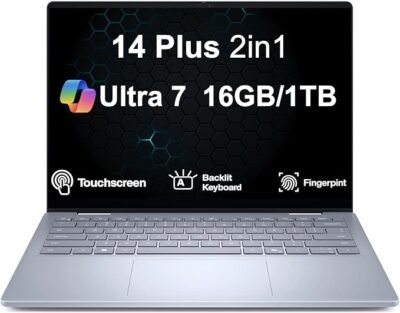
5. The Best Value: Dell 14 Plus (2-in-1)
4.7 out of 5 ratings
If you don’t need the “XPS” branding tax but want a reliable, high-performance machine, the Dell 14 Plus is the sleeper hit of the year.
- Why it wins: It offers the latest Intel Core Ultra 9 288V chips (the “Lunar Lake” successors) at a price point nearly $500 lower than the XPS line. The 360-degree hinge makes it versatile for presentations or casual tablet use.
- Key Specs: 14-inch 2.5K IPS display, Intel Arc Xe2 integrated graphics, and a dedicated Copilot+ AI button.
- Best for: Small business owners, remote workers, and value-conscious buyers.
Comparison at a Glance
| Model | Best For | Standout Feature |
| XPS 14 | All-rounder | 20-hour battery life |
| 16 Premium | Professionals | RTX 5070 + OLED |
| Alienware 16X | Gaming | 240Hz Refresh Rate |
| Pro Max 18 Plus | Workstation | 256GB RAM support |
| 14 Plus 2-in-1 | Value | Versatile 360° design |
Which of these categories fits your typical daily workflow best—are you leaning more toward portability or raw power?