In today’s digital age, tablets with keyboards have revolutionized how we work, learn, and enjoy entertainment. Whether you’re a student, a professional, or a casual user, having the right device makes all the difference. As a result, selecting the best tablet with a keyboard can seem overwhelming due to the multitude of options available. To help you navigate this landscape, we’ve curated a list of five outstanding tablets that combine performance, portability, and productivity. Let’s explore these top contenders and understand what sets them apart.
1. Apple iPad Pro (12.9-Inch) with Magic Keyboard
Why it stands out:
- Premium Build Quality: The iPad Pro boasts a sleek, durable aluminum chassis, exemplifying Apple’s signature design elegance.
- Powerful Performance: Equipped with the M2 chip, it handles intensive tasks effortlessly.
- Immersive Display: The Liquid Retina XDR display offers stunning visuals, perfect for creative professionals.
- Magic Keyboard Compatibility: Enhances versatility, turning the iPad into a laptop replacement with a comfortable typing experience.
Pros:
- Exceptional performance for demanding apps.
- Long battery life, lasting up to 10 hours.
- Supports the Apple Pencil, fostering creativity.
Cons:
- Higher price point than competitors.
- Keyboard accessory is costly but highly functional.
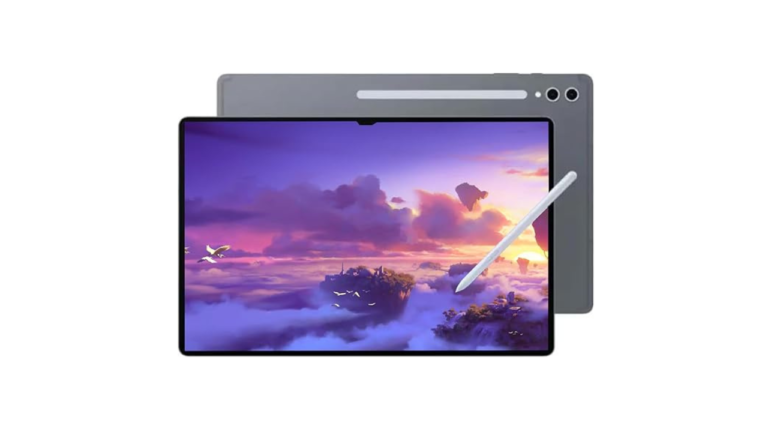
2. Samsung Galaxy Tab S8 Ultra with Book Cover Keyboard
Why it excels:
- Vivid Display: The 14.6-inch Super AMOLED screen provides vibrant visuals.
- Robust Performance: Powered by Snapdragon 8 Gen 1 processor, it excels in multitasking.
- Expandable Storage: MicroSD card slot adds more flexibility.
- Keyboard Compatibility: The Book Cover Keyboard enhances productivity on the go.
Pros:
- Large, immersive display ideal for media and work.
- Supports DeX mode for a desktop-like experience.
- Features a stylus for note-taking and drawing.
Cons:
- Bulky design might hinder portability.
- Battery life can diminish with intensive use.
3. Microsoft Surface Pro 9
Why it’s a top choice:
- Versatile 2-in-1 Design: Switch between laptop and tablet seamlessly.
- Powerful Hardware: Iris Xe graphics and Intel Core i7 processors enable heavy-duty tasks.
- Display: 13-inch PixelSense touchscreen with high resolution.
- Keyboard Accessibility: Surface Signature Keyboard offers comfortable typing and a built-in trackpad.
Pros:
- Superior Windows experience transforms any workspace.
- Supports Surface Pen for creative endeavors.
- Excellent build quality with a sleek profile.
Cons:
- Slightly heavier than other tablets.
- Keyboard and stylus sold separately, increasing total cost.
4. Lenovo Tab P12 Pro with Keyboard Pack
Why it’s notable:
- High-Quality Display: 12.6-inch AMOLED screen delivers crisp images.
- Performance: Qualcomm Snapdragon 870 ensures smooth multitasking.
- Expandable Storage: MicroSD support for added convenience.
- Keyboard Option: The optional keyboard pack boosts productivity.
Pros:
- Good balance of power and portability.
- Enhanced audio system with JBL speakers.
- Supports stylus for creative tasks.
Cons:
- Android OS may lack some productivity features.
- Battery life could be better during continuous use.
5. Huawei MatePad Pro 12.6 with Keyboard Case
Highlights:
- Elegant Design: Slim profile with premium aluminum finish.
- Display: OLED panel offers deep blacks and vibrant colors.
- Processing Power: Kirin 9000E chip provides solid performance.
- Keyboard Compatibility: The magnetic keyboard case offers convenience and comfort.
Pros:
- Excellent display for media consumption.
- Solid multitasking performance.
- Highly portable and lightweight design.
Cons:
- Compatibility limited outside Huawei ecosystem.
- App ecosystem not as extensive as Google Play Store.
Final Thoughts: Which Tablet with Keyboard Is Right for You?
Choosing the best tablet with a keyboarddepends largely on your specific needs, budget, and preferences. If you prioritize power and performance, the Apple iPad Pro or Microsoft Surface Pro 9 stand out. For those seeking large displays and multimedia prowess, the Samsung Galaxy Tab S8 Ultra and Lenovo Tab P12 Pro excel. Meanwhile, users inclined toward design and portability might prefer the Huawei MatePad Pro.
Key Considerations:
- Operating System Compatibility: Choose between iOS, Android, or Windows based on your ecosystem.
- Display Size and Quality: Larger screens benefit media viewing and multitasking.
- Performance Needs: From casual browsing to intensive multitasking, select specs accordingly.
- Accessories Cost: Factor in the price of keyboards and styluses for full functionality.
In conclusion, investing in a tablet with a keyboard can significantly enhance your productivity and entertainment experience. Carefully evaluate these options, keeping your primary use case in mind. Ultimately, the right device will empower you to work smarter, create effortlessly, and enjoy rich digital experiences seamlessly.