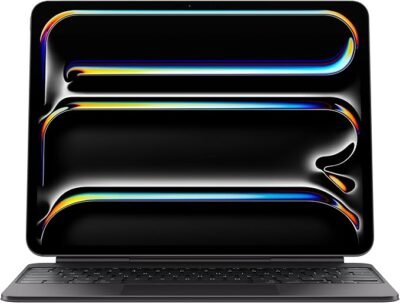
Apple iPad Magic Keyboard Case for iPad Pro 13-inch (M4) US English – Black
4.7 out of 5 ratings
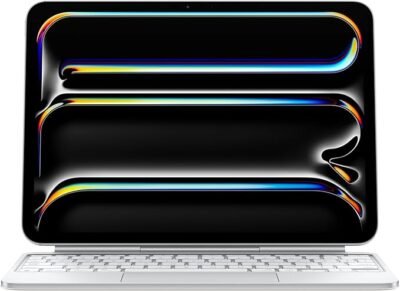
Apple iPad Magic Keyboard Case for iPad Pro 11-inch (M4 and M5), Great Typing Experience, Built-in Trackpad, Function Row, US English
Apple iPad Magic Keyboard Case for iPad Pro 13-inch (M4 and M5), Great Typing Experience, Built-in Trackpad, Function Row, US English
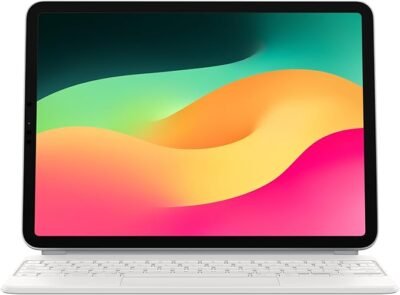
Apple Magic Keyboard: iPad Keyboard case for iPad Pro 11-inch (1st, 2nd, 3rd, 4th gen) and iPad Air (4th, 5th gen, and M2), Great Typing Experience, Built-in trackpad, US English
4.7 out of 5 ratings
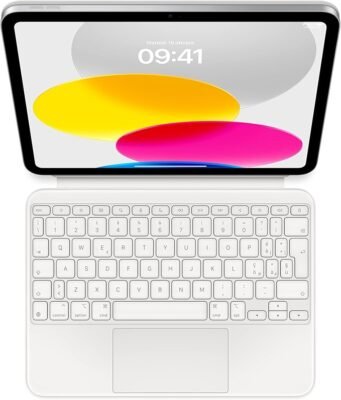
Apple Magic Keyboard Folio: iPad Keyboard and case for iPad (10th Generation), Detachable Two-piece Design that attaches magnetically, Built-in trackpad, Italian – White
4.7 out of 5 ratings
Picking the right keyboard case for an iPad can turn a standard tablet into a highly capable laptop replacement. However, navigating Apple’s official lineup can get a bit confusing because compatibility depends strictly on the specific model and generation of your device.
The comprehensive price list below outlines Apple’s official iPad keyboard offerings, including current retail pricing and compatibility.
Official Apple iPad Keyboards Price List
| Keyboard Model | Compatible iPad Models | US Retail Price |
| Magic Keyboard for iPad Pro 13-inch | iPad Pro 13-inch (M4 and M5) | $349.00 |
| Magic Keyboard for iPad Pro 11-inch | iPad Pro 11-inch (M4 and M5) | $299.00 |
| Magic Keyboard for iPad Air 13-inch | iPad Air 13-inch (M2, M3, and M4) | $319.00 |
| Magic Keyboard for iPad Air 11-inch | iPad Air 11-inch (M2, M3, and M4); iPad Air (4th & 5th Gen) | $269.00 |
| Magic Keyboard Folio | iPad (10th Generation / A16 models) | $249.00 |
Lineup Deep Dive: Which One Do You Need?
1. Magic Keyboard for iPad Pro (M4 / M5)
Designed specifically for the ultra-thin iPad Pro lines, this premium tier features a sleek aluminum palm rest, a massive glass trackpad with haptic feedback, and a dedicated 14-key function row. It utilizes a floating cantilever design that allows you to smoothly adjust smooth viewing angles.
Heads Up: This model is strictly exclusive to the M4 and M5 iPad Pro series. It will not physically fit or connect to older iPad Pro models or any iPad Air due to thinness and smart connector alignment variations.
2. Magic Keyboard for iPad Air
The iPad Air variant shares the same iconic floating cantilever design and built-in trackpad as the Pro tier, giving your Air a laptop-like experience. While it skips the premium aluminum palm rest of the Pro version, it remains an incredibly sturdy and tactile option for heavy typing sessions.
3. Magic Keyboard Folio for iPad
Geared toward the base-model iPad, this variant offers a versatile two-piece design. It features a fully detachable keyboard and a protective back panel with an adjustable kickstand. It includes a 14-key function row and a clicky, responsive trackpad, making it highly versatile for students or casual users who want to switch seamlessly between typing and tablet modes.
Third-Party Alternatives
If Apple’s premium pricing feels a bit steep, highly reputable manufacturers offer fully integrated alternatives that utilize Apple’s Smart Connector (meaning no separate Bluetooth pairing or charging is required):
- Logitech Combo Touch: Typically ranges from $159.95 to $229.95 depending on your iPad size. It offers a detachable keyboard layout and a built-in kickstand very similar to Microsoft’s Surface Pro line.
- Logitech Slim Folio / Rugged Folio: Ranging from $99.95 to $139.95, these options focus heavily on durable drop protection for baseline iPads.